A free team building quiz for work
Mission Control is a live quiz you host on the big screen in a meeting room, or share on a video call. Colleagues scan a code and answer on their phones, and the right answer nobody else thought of launches a rocket through space. About ten minutes, no sign-up, nothing to install.
Host a team quiz · Play today’s launch
How it works
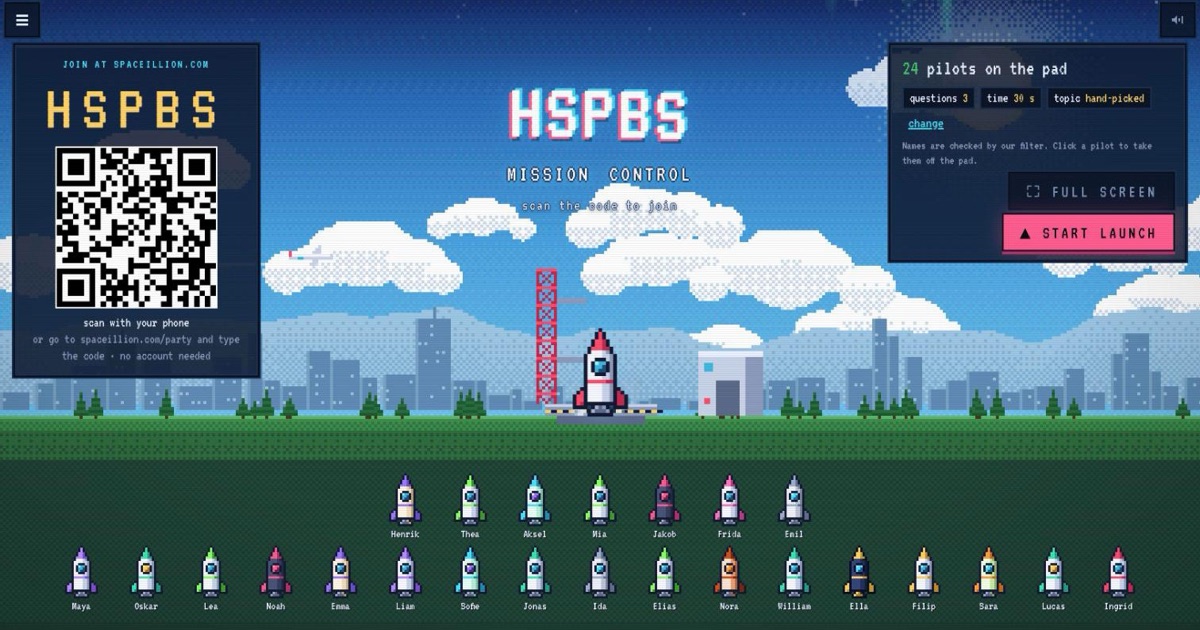
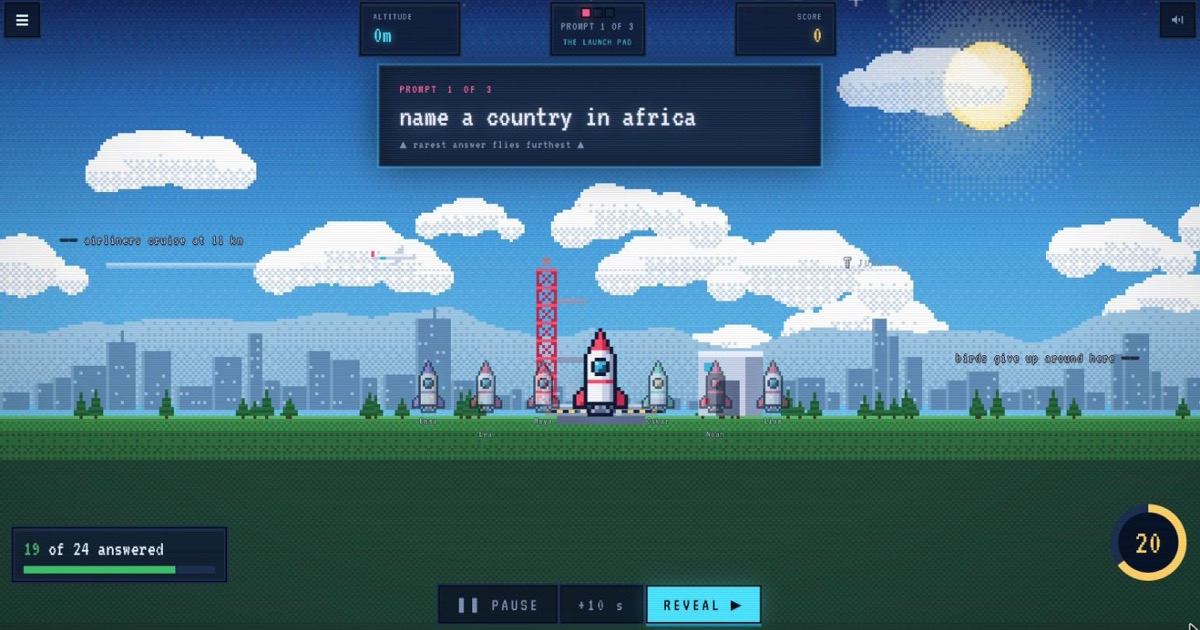
- Pick the questions. Open Mission Control in your browser. Choose a topic (movies, music, food, geography, history, science, sport, brands, space and more) or hand-pick the questions yourself. Set 5, 7 or 10 questions and 20, 30 or 45 seconds each.
- Put it on the screen. Show it on the meeting-room TV or projector, or share your browser tab on Zoom, Microsoft Teams or Google Meet so remote colleagues see the same screen.
- Everyone joins with the code. People scan the QR code on the screen, or go to spaceillion.com/party and type the five-letter code, then pick a name. No account, no email, no app.
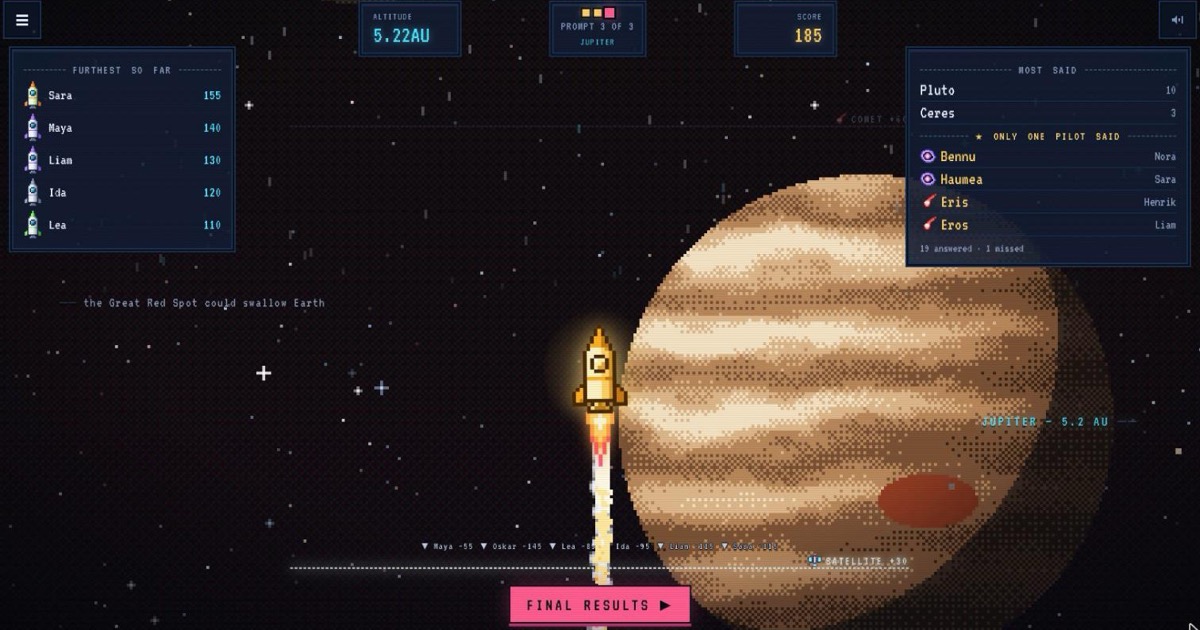
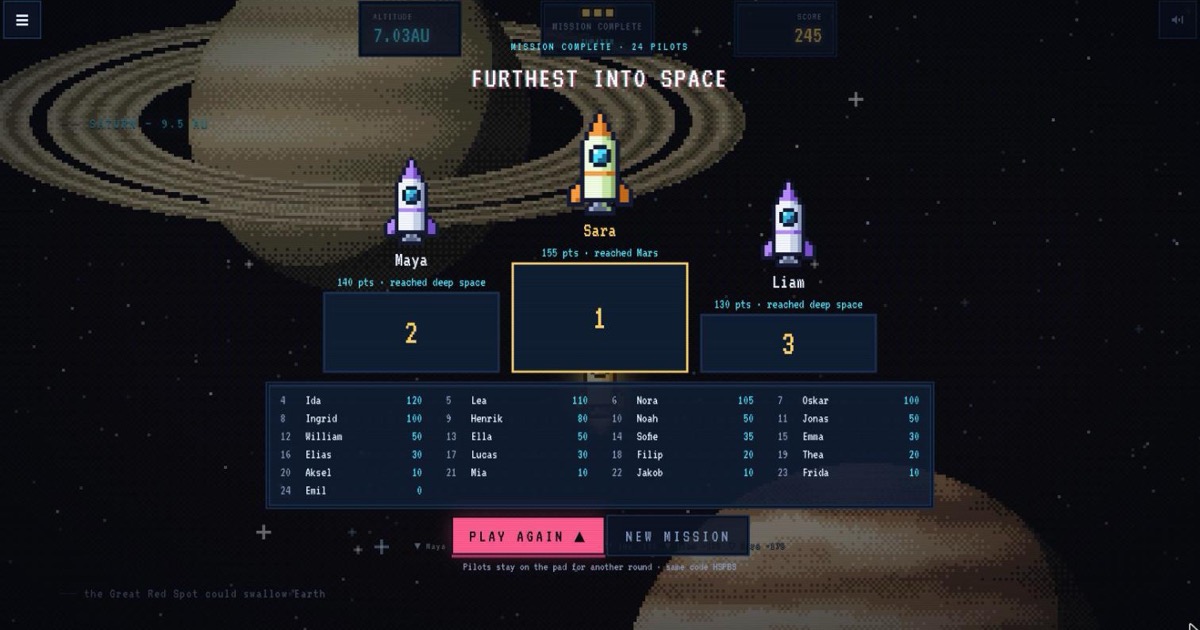
- Run it and reveal. You control the pace: pause, add time, reveal early and move on when the room is ready. Each reveal shows what most people said and the answers only one person found, and the final podium shows who flew furthest.
Why it works for teams
Every question has hundreds of right answers (name a country in Africa, a type of cloud, a famous painter) and the right answer the fewest colleagues gave scores the most. There is no buzzer race, so the fastest typist doesn’t win: everyone types something, the quiet expert gets their moment, and the reveal starts conversations ("who said Burkina Faso?").
Remote and hybrid meetings
Share the Mission Control tab on your video call and everyone, in the room or at home, plays together. Remote colleagues scan the code from their own screen with their phone, or type it in. It makes a quick icebreaker at the start of a meeting or a fun end to an all-hands.
Office parties and Christmas parties
Run a round between speeches or while the food arrives. Five questions take about five minutes, and the same code starts another round straight away. Topics like movies, music, food and brands suit any mix of people.
A free alternative to Kahoot for work
If you have used Kahoot, Mentimeter or Slido quizzes, Mission Control will feel familiar: a code on the screen, answers on phones and a podium at the end. The difference is open answers instead of multiple choice, which makes it less about guessing and more about what people actually know.
Free, with nothing for IT to install
It runs in any modern browser, on the host’s laptop and on everyone’s phones. Nobody signs up and no email addresses are collected; players just type a name or nickname for the game.
Questions
Is it free?
Yes, hosting and playing are free. There is an optional one-time Spaceillion+ unlock for unlimited solo games; you don’t need it to host a quiz.
Does it work on Zoom, Microsoft Teams or Google Meet?
Yes. Share the browser tab with Mission Control on your call. Remote players join on their phones with the code from the shared screen.
How many people can play?
A whole team, department or party at once. Everyone plays on their own phone.
Do colleagues need an account or an app?
No. They join in the browser with the code and type a name. No sign-up, no email, no download.
How long does a game take?
Around 5 to 10 minutes: 5, 7 or 10 questions with 20 to 45 seconds each, plus the reveals, which move on when you are ready.
Can I choose the questions?
Yes. Pick a topic and get random questions from it, or search the question library and hand-pick up to 12 in your own order.
Can the host play too?
The host runs the quiz from the big screen and doesn’t play. For a small team where everyone, you included, plays on their own phone, start a Launch Party instead.
Kahoot!, Mentimeter, Slido, Zoom, Microsoft Teams and Google Meet are products of other companies. Spaceillion is an independent game and is not affiliated with them.
Games like Krillion · A quiz where obscure answers win · The rare answer game · A free classroom quiz game for your big screen · A free quiz night game for your TV