A free classroom quiz game for your big screen
Mission Control turns Spaceillion into a live quiz you run from the front of the room. Put it on the projector, students scan a code and answer on their own devices, and the rarest right answer launches a rocket through space. Free, nothing to install, no student accounts.
Open mission control · Play today’s launch
How it works
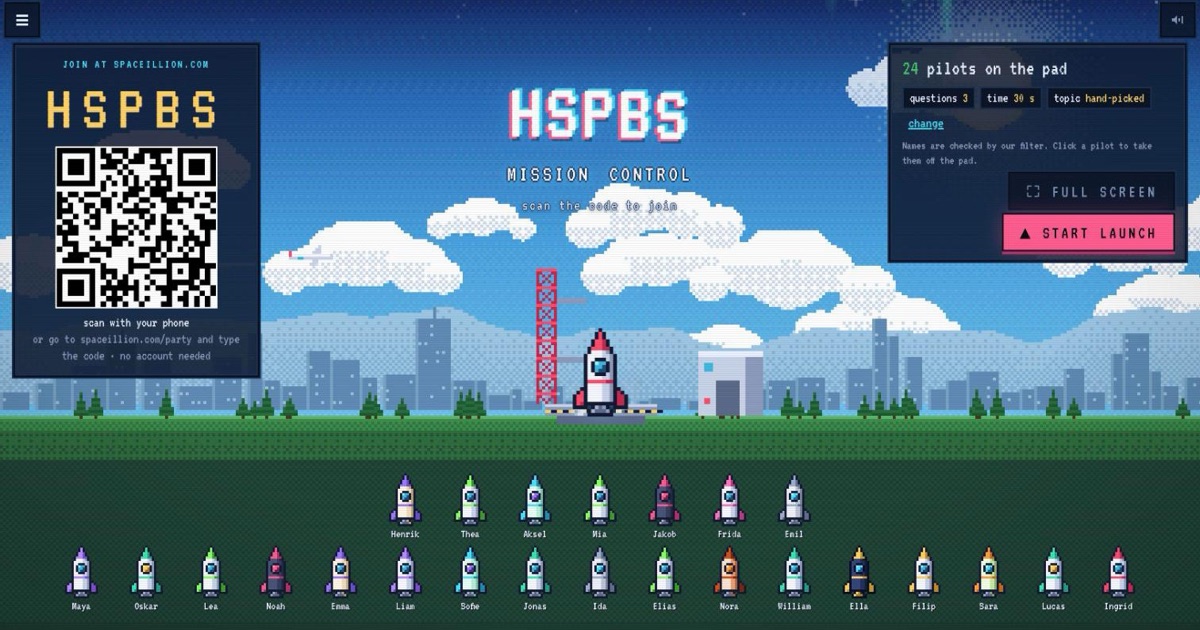
- Pick the questions. Open Mission Control on your computer. Choose a topic (space, geography, science, history, nature, food, books, music and more) or hand-pick them yourself from the question library. Set 5, 7 or 10 questions and 20, 30 or 45 seconds each.
- Students join with a code. Your screen shows a QR code and a five-letter code. Students scan it, or go to spaceillion.com/party and type the code, then pick a name. Their rocket appears on the launch pad. No email, no password, no app.
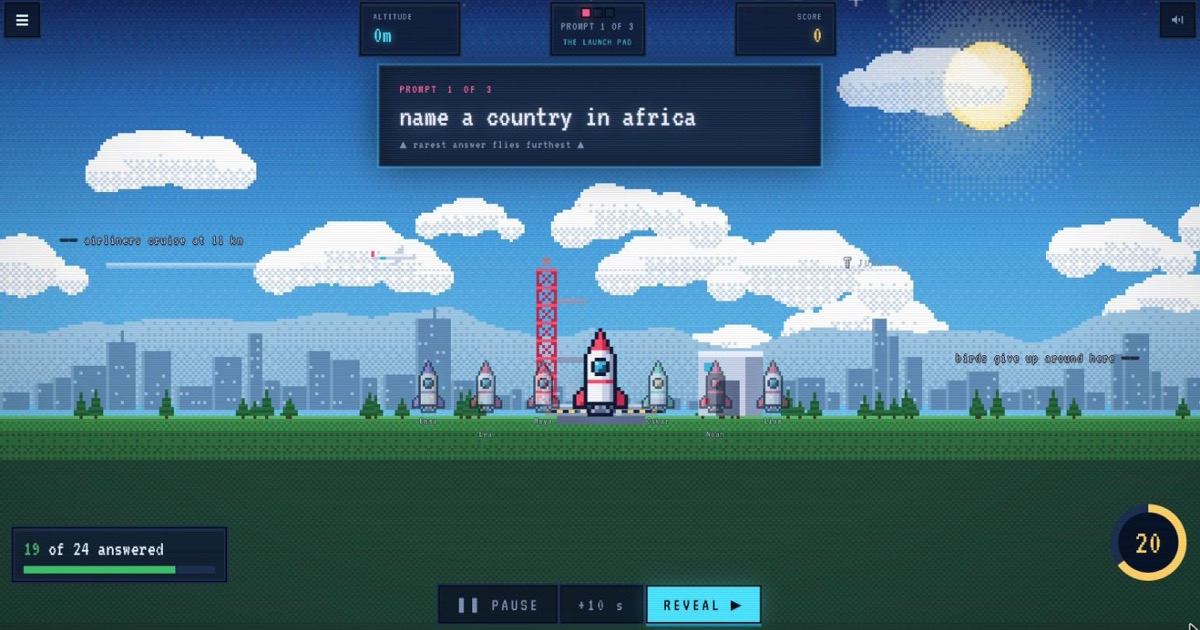
- Run the quiz at your pace. Each question appears on the big screen and students type one answer on their own device. You stay in control: pause, add ten seconds, reveal early, and move on when the room is ready. A presenter clicker works too.
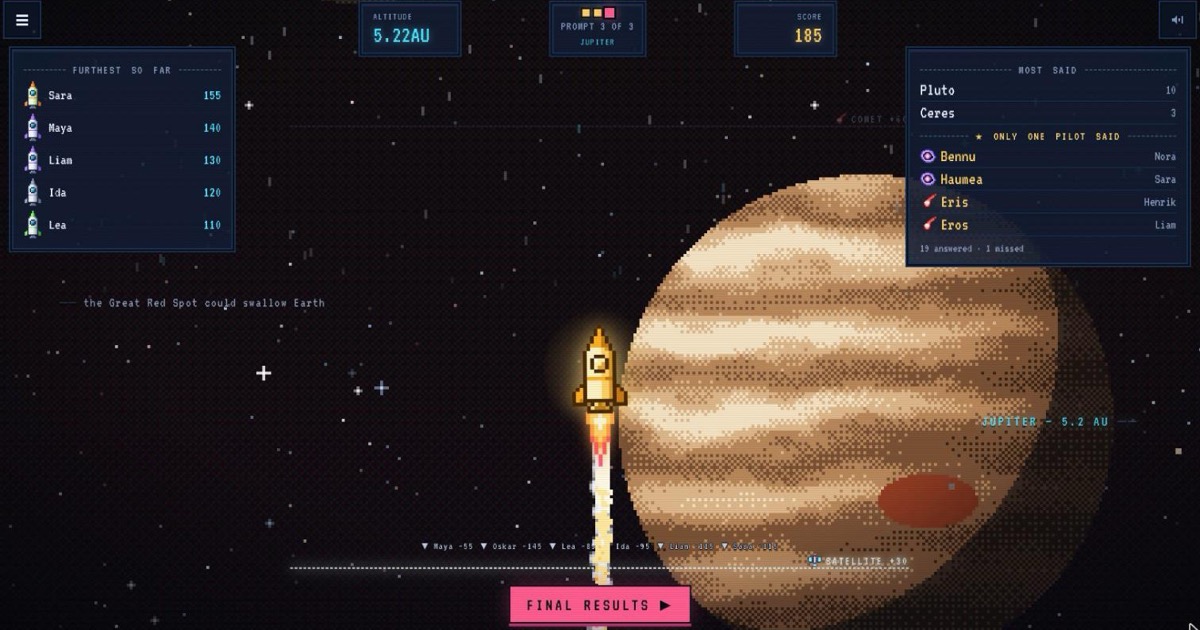
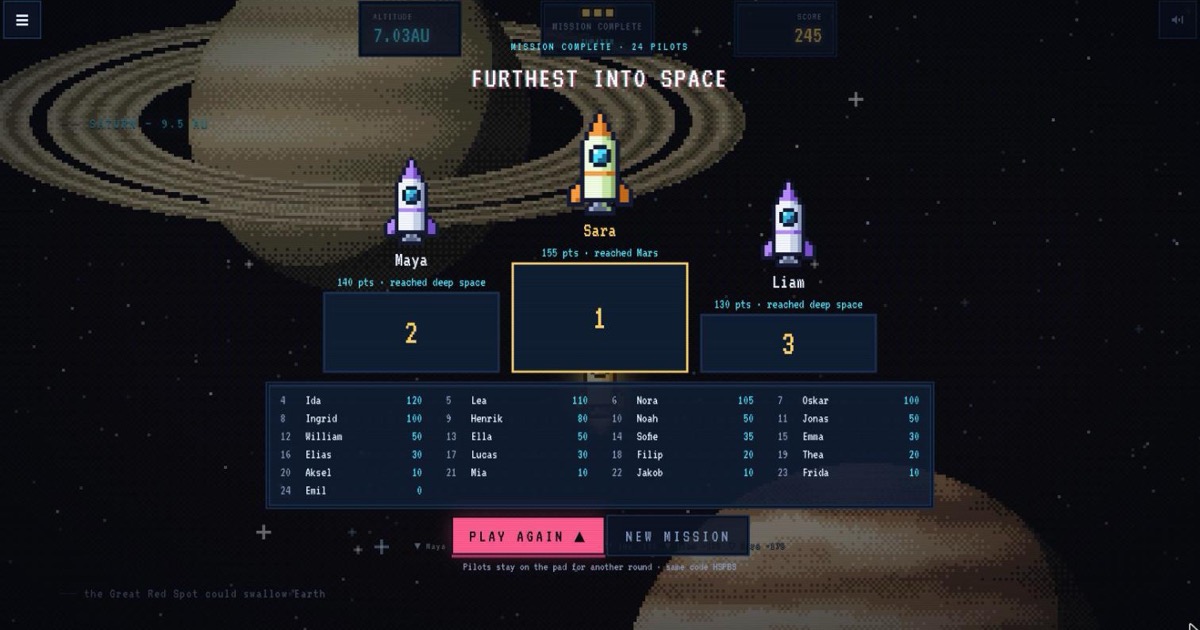
- Reveal and celebrate. See what most of the class said, the answers only one student found, and watch the rarest answer fly the rocket past the Moon, Mars and beyond. The final podium shows who flew furthest into space.
Why the rarest answer wins
In most quiz games the fastest right answer wins. Here every question has hundreds of right answers (name a country in Africa, a type of cloud, an animal that lives in the ocean) and the right answer that the fewest classmates gave scores the most. That rewards knowledge and creative thinking over speed and luck: students dig for the less obvious answer instead of racing to tap first, and quieter students get their moment when they find one nobody else thought of.
Learn about space while you play
Every point flies the rocket further through real places at real distances: the stratosphere, the International Space Station, the Moon, Mars, the asteroid belt, Saturn and out to the edge of the observable universe. Facts appear along the way, so every round teaches a little astronomy too.
Works with what you already have
Mission Control runs in the browser on any computer connected to a projector, interactive whiteboard or TV. Students answer on phones, tablets, iPads or Chromebooks in any modern browser. There is nothing to install and no class list to set up, and spelling slips are forgiven so a typo doesn’t cost a good answer.
A free Kahoot alternative with open answers
If you use Kahoot, Blooket or Quizizz, Mission Control will feel familiar: a code on the big screen, answers on devices, a podium at the end. The difference is open answers instead of multiple choice. Students type what they know, with no options to guess from, so it works well as a starter, a brain break, a vocabulary warm-up or an end-of-term quiz.
Free, with no student accounts
Mission Control is free to use. Students don’t sign up and no email addresses are collected. They only type a first name or nickname for the game; names go through a filter, and you can take any name off the screen with one click.
Questions
Is it free?
Yes. Mission Control and the daily game are free. There is an optional one-time Spaceillion+ unlock for players who want unlimited solo games; you don’t need it to run a quiz.
Do students need an account or an email address?
No. Students join with the code on your screen and type a name. No sign-up, no email and no download.
What devices does it work on?
The host screen runs in any modern browser on a laptop or desktop connected to a projector, interactive whiteboard or TV. Students can use phones, tablets, iPads or Chromebooks.
Can I choose the questions?
Yes. Pick a topic and get random questions from it, or search the question library and hand-pick up to 12 in your own order.
How long does a game take?
Around 5 to 10 minutes: 5, 7 or 10 questions with 20 to 45 seconds each, plus the reveals, which move on when you are ready.
How many students can join?
A whole class or a big group at once. Every student plays on their own device.
Do I have to play too?
No. You run the quiz from the big screen without playing. For a small group where everyone plays on their own phone, use a Launch Party instead.
What ages is it for?
Upper primary through secondary school, and adults at quiz nights. Choose a topic that suits your group, or hand-pick the questions yourself.
Kahoot!, Blooket and Quizizz are products of other companies. Spaceillion is an independent game and is not affiliated with them.
Games like Krillion · A quiz where obscure answers win · The rare answer game · A free team building quiz for work · A free quiz night game for your TV